Download SiteSnapDoc and start documenting site progress in minutes—pin tasks on plans, annotate photos, and export client‑ready PDFs right from your phone or tablet. Available on iOS and Android.
Get the app
Features
Mobile‑first workflow designed for solo contractors and small teams to capture progress and share updates fast.
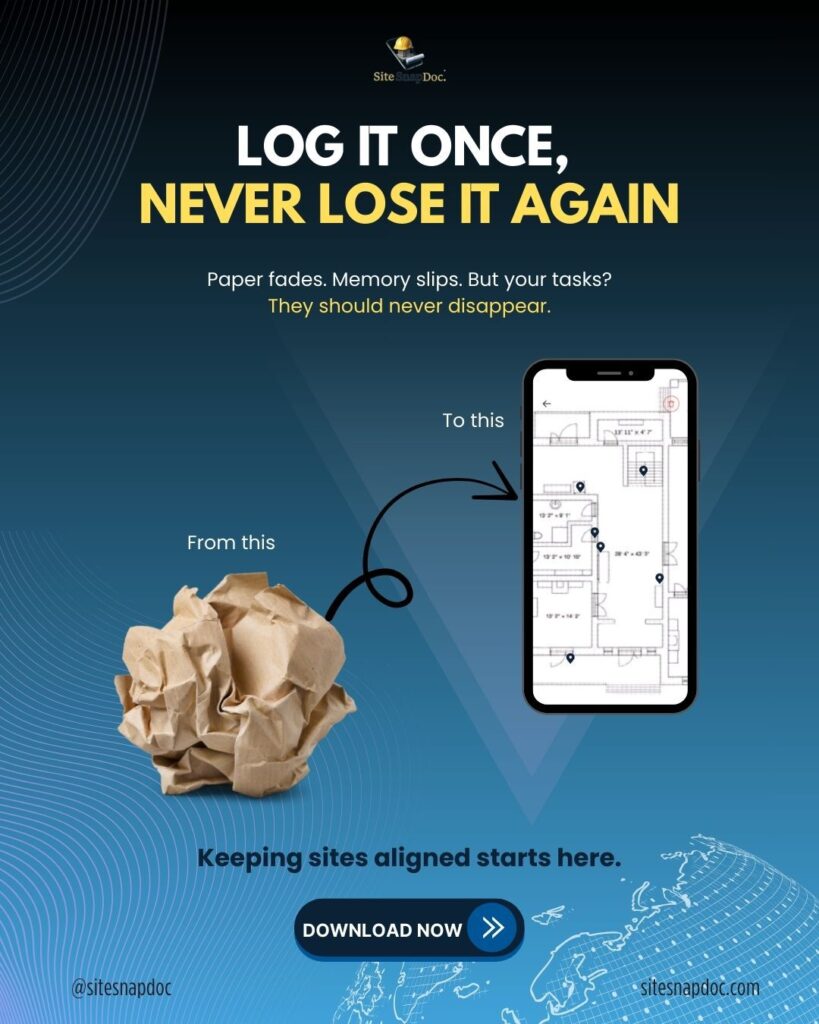
Pin on PDFs to mark exact issues or tasks directly on your drawings—no ambiguity for trades or clients.
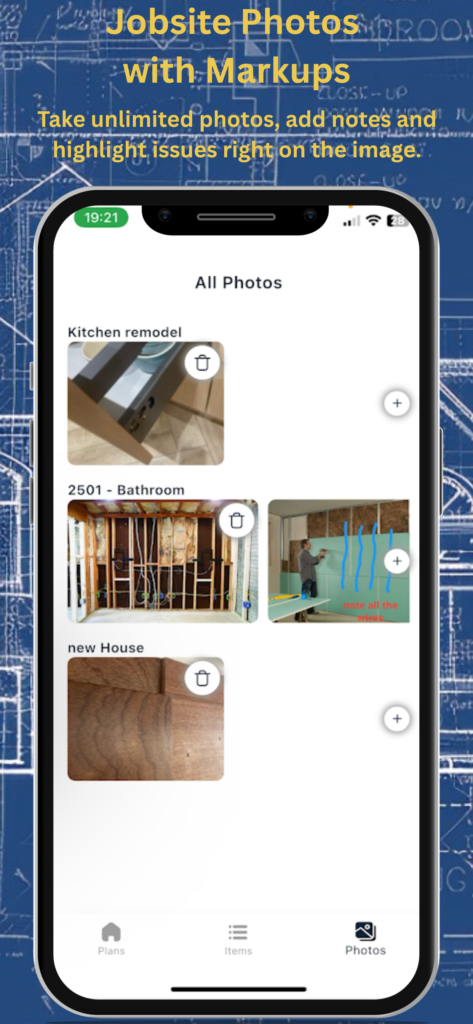
Photo annotations to show context, highlight details, and communicate clearly from the field.
Report builder to generate professional, shareable PDF reports in a tap.
How the use the app
Repeat quickly on site Open the project on your phone or tablet and keep documenting progress as you walk—SiteSnapDoc is built for field reporting and inspections.
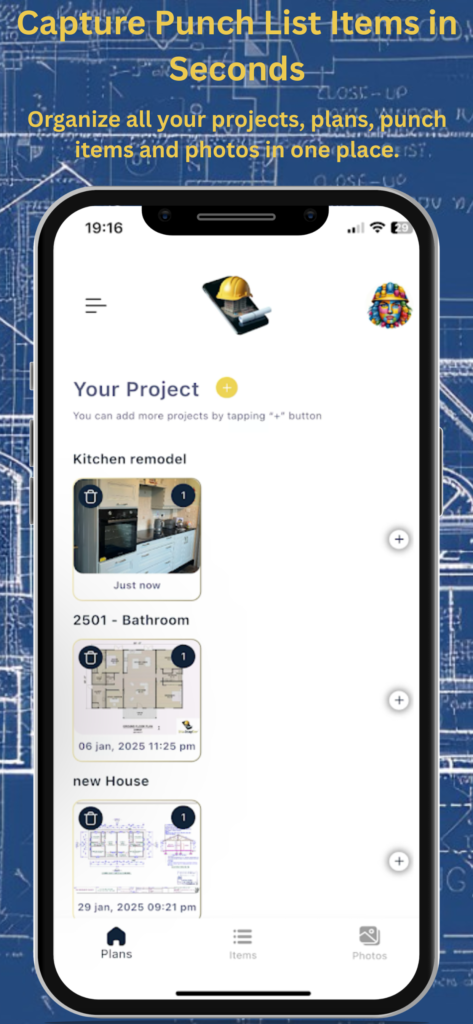
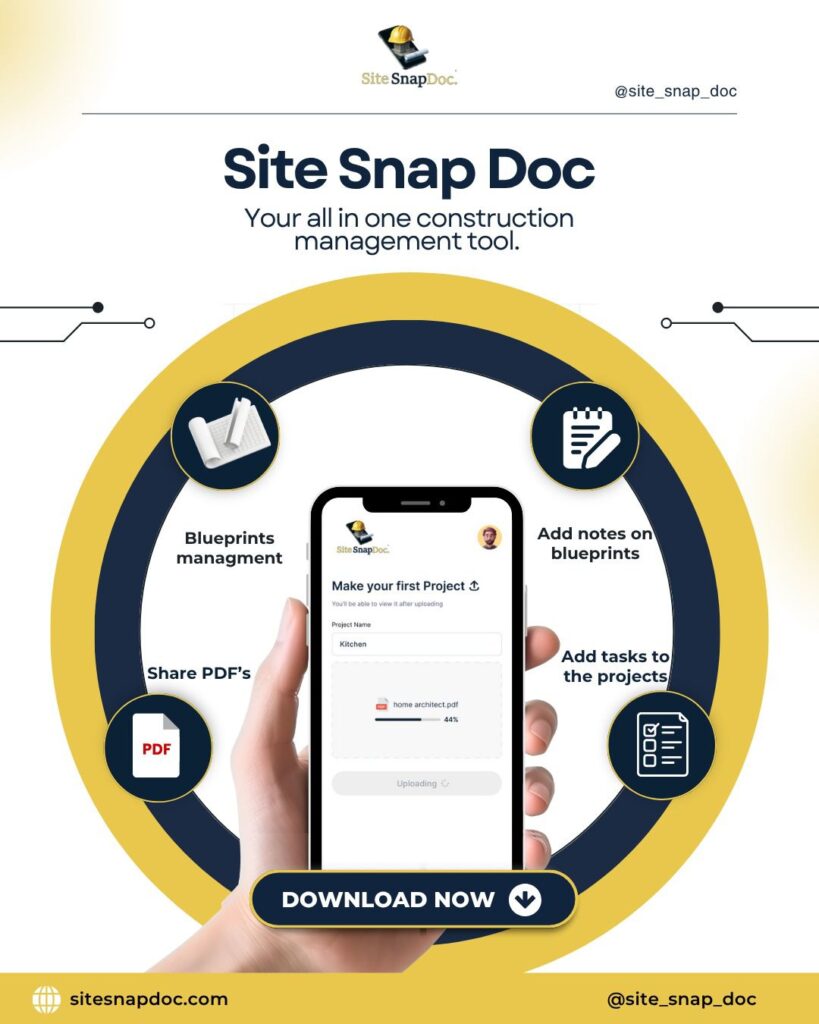
Create your project and add plans Upload your site PDFs/drawings so everyone works from the same source.
Drop pins and add detail Place a pin where work is needed or completed, add notes, and attach annotated photos so instructions are crystal‑clear.
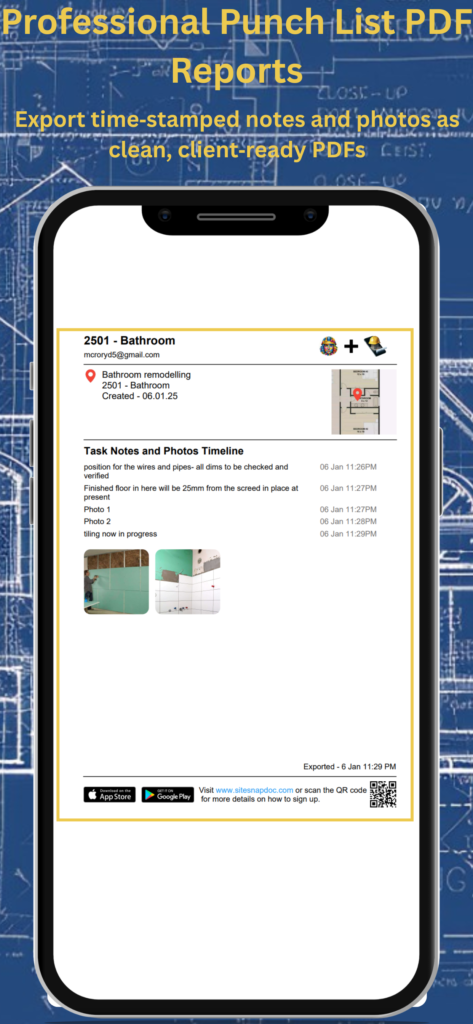
Export and share a client‑ready PDF Generate a clean, branded report summarizing pins, notes, and photos, then send it to clients or your team in one tap.
Pricing
Free — 1 Project · 1 Plan · 5 Tasks · 5 Notes · 5 Images · 1 PDF Export
Prove the full workflow on a real job—end to end.
Full construction documentation flow
1 active project with 1 PDF plan (blueprint markup)
Up to 5 tasks/pins, 5 notes, 5 images (with annotations)
1 client‑ready PDF export for quick approval
Share updates in a tap
Download free on iOS or Android and go from plan to proof in minutes.
PRO Monthly — 19.99
Unlimited capacity for busy weeks.
Unlimited projects, plans, tasks, notes, images, and PDF exports
Annotated photo documentation + on‑plan pinning
Client‑ready, automated PDF reports
Cancel anytime (billed monthly by your app store)
PRO 6 Months — 99.99(≈ 16.67/mo · save ~17% vs monthly)
Set and forget for the season.
Everything in PRO Monthly
One renewal every 6 months
PRO Yearly — 199.99(≈ 16.67/mo · save ~17% vs monthly · Best Value)
Roll for the year at the lowest total cost.
Everything in PRO Monthly
One renewal per year
Billing & currency: Your App Store or Google Play will display the final price in your local currency and applicable taxes at checkout. You can upgrade/downgrade/cancel anytime in your store subscription settings.
FAQ
FAQ
Q1. What’s the best app for tracking site progress? A. Look for three core capabilities:
(1) pin tasks/issues directly on PDF plans,
(2) capture photo evidence with annotations, and
(3) export client‑ready PDF reports you can share in one tap.
SiteSnapDoc focuses on exactly these outcomes, so solo contractors and teams can document work fast, keep trades aligned, and present professional updates to clients.
Q2. Is there an app that lets me pin tasks on drawings and add photo notes? A. Yes—SiteSnapDoc lets you upload your plan PDFs, drop a precise pin where something needs attention, attach annotated photos, and add context with notes. It’s built for on‑site clarity.
Q3. How do I create a site report from my phone? A. In SiteSnapDoc, add pins and photos as you walk the site, then tap to export a clean PDF report. The report includes locations, notes, and images, ready to send to clients or trades without leaving the app.
Q4. Can clients view reports without installing the app? A. Yes. Reports export to standard PDF so clients, consultants, and insurers can open them on any device.
Q5. Is this for large PM teams or small crews? A. SiteSnapDoc is built for solo contractors and teams of any size who need fast, visual documentation in the field. Many users pair it with a broader PM or scheduling tool if they also need Gantt charts or ERP functions.
Q6. How quickly can I get started? A. Most new users create their first project and pinned task in minutes. There’s no training required, open the app, upload your plans, and begin pinning.
Q7. Does SiteSnapDoc support iOS and Android? A. Yes, it’s available on both major platforms and optimised for phones and tablets.
Q8. What kind of photos and markups can I add? A. Take photos on the spot or attach from your library, add arrows/highlights and notes, and link them to a specific pin on your plan so nothing gets lost in chat threads.
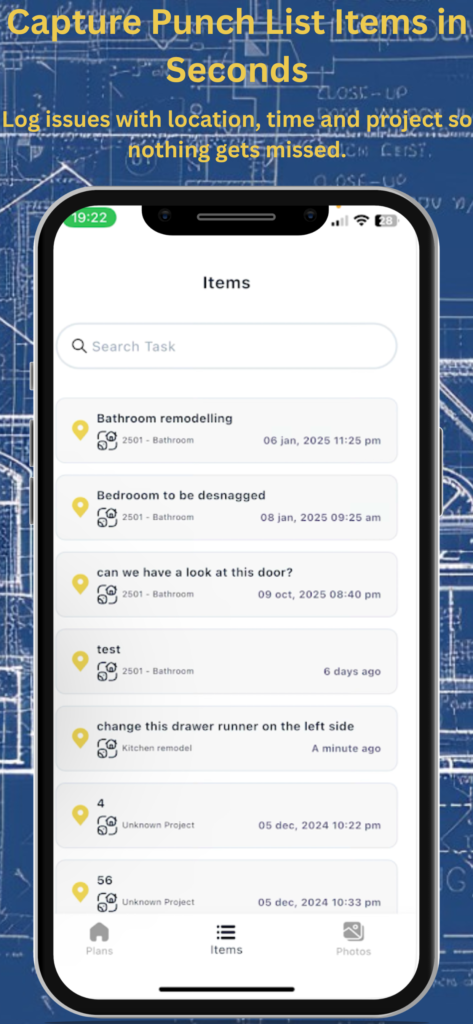
Q9. Can I use it for snagging / punch lists? A. Absolutely. Pins become clear, trackable items with photo evidence. Export a snag list as a PDF and share it with subcontractors to close issues faster.
Q10. Will it help reduce callbacks and misunderstandings? A. That’s the goal. Clarity comes from “see‑what‑I‑see” photo annotations tied to exact plan locations and a report format clients can understand at a glance.
Q11. Does it work offline? A. The app is designed for field reliability. If you often work in low‑connectivity areas, you can still capture photos and notes and sync when you’re back online.
Q12. How much does SiteSnapDoc cost? A. One simple plan with everything included. Check the App Store or Google Play listing for current pricing and local currency.
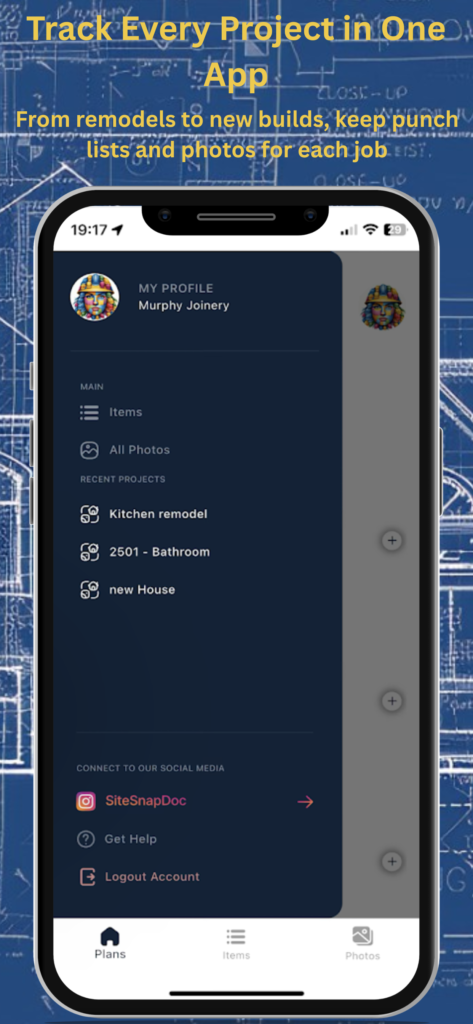
Q13. Can I manage multiple projects at once? A. Yes, switch between projects in seconds. Each project keeps its own plans, pins, photos, and reports so your documentation stays organised.
Q14. Can my team collaborate? A. Yes, share updates with teammates or clients as you go. Clear visuals and pinned locations help everyone understand priorities without long emails. Each subscripotions supports 2 logins, that could be you and a business parter or your Phone and Tablet
Q15. What file types can I upload? A. PDFs for plans and standard image formats for photos. Exported reports are PDFs that you can store, email, or archive.
Q16. How does SiteSnapDoc handle data security and privacy? A. Your photos, plans, and notes are encrypted in transit and stored securely. We use least‑privilege access controls, maintain backups for resilience, and never sell your personal information. See the “Security and privacy” section on this page for full details.
Q17. Who owns my data? A. You do. You can export or delete your content at any time and manage app permissions (camera, photos, files, notifications) in your device settings.
Q18. Can I brand the reports? A. Yes, your exports are clean, professional PDFs that can include your company details and logo so your updates look consistent and client‑ready.
Q19. Does SiteSnapDoc replace my scheduling or ERP tool? A. It complements them. Use SiteSnapDoc for fast, visual site evidence and reports; keep your current tool for high‑level scheduling, budgets, and procurement if you need those.
Q20. Is there support if I get stuck? A. Yes, email info@sitesnapdoc.com and we’ll reply within 24 hours on business days. You’ll also find a short “How it works” section on this page for quick wins.
Q21. What makes SiteSnapDoc different from a normal camera app? A. Context. Photos are anchored to exact plan locations with notes, then compiled into a structured PDF report. That saves time and avoids the “photo roll shuffle.”
Q22. Can I share just one area or trade’s items? A. Yes, select what you export so each subcontractor receives only the items they’re responsible for, keeping communication focused.
Q23. Will SiteSnapDoc help with handovers? A. Definitely. With pinned evidence and a concise report, handovers become quicker and more transparent, reducing disputes and rework.
Q24. Does it support daily progress snapshots? A. Yes, drop quick pins with photos as you walk the site each day and export a daily PDF so stakeholders see progress without site visits.
Q25. Where do I download SiteSnapDoc?
Get the app
Use Cases
Use cases — App built by a construction professional for construction professionals
Photo documentation with annotations (directions that can’t be misread)
Client‑ready PDF reports (draws, inspections, punch, closeout)
Real‑time field reporting (share by email, message, or team channels)
Works great for developers, home builders, GCs, superintendents, and subs
From plan to proof—faster. Pin it. Prove it. Hand it over.
Security and privacy
Your content is yours. We keep it secure and use it only to provide the service.
We don’t store your project content—ever.
Your plans, photos, notes, tasks, and reports stay on your device. SiteSnapDoc does not upload or retain your project content on our servers. When you share a report, your device sends the file through your chosen email or messaging app.
What we do process
Account & subscription basics (e.g., email, plan status) so your PRO features work.
Diagnostics (app version, device/OS, crash logs) to improve stability—never your project content.
Support messages you send us (please avoid attaching sensitive files unless requested).
Backups
If you’ve enabled iCloud/Google/device backups, your OS may include app data in encrypted backups. Those backups are managed by Apple/Google/your MDM, not by SiteSnapDoc. If you delete the app and don’t have a device backup or exported files, your local content may be lost because we don’t keep a server copy.
Security on device
Use a strong passcode/biometrics and keep your OS updated. Only share reports with trusted recipients.
No selling, no profiling
We do not sell personal data and do not scan your plans, photos, or notes for marketing or profiling.
Payments (who charges your card)
All purchases and renewals are handled exclusively by your platform provider:
Apple App Store (iOS/iPadOS)
Google Play (Android)
SiteSnapDoc never sees, handles, or stores your payment card details. Manage, change tier, or cancel anytime in your device’s subscription settings.